Tesla Camp Mode: settings and real-world consumption
Camp Mode is what lets you sleep in a Tesla at 18 °C all night, with no condensation on the windows, for about 10% of the battery. That’s what we measured over 10 nights in a Model Y in October 2026, with mornings between 5 and 12 °C. Here is how to turn it on, the settings not to forget, what it really uses, and how to charge the car at a campsite while you sleep.
What Camp Mode does
Camp Mode keeps the climate control running while the car is parked, with you on board. It’s a standard feature on every Tesla.
| What you need to know | |
|---|---|
| Temperature | The climate control holds the chosen temperature, heating or cooling |
| Sockets | It isn’t Camp Mode that keeps the USB and 12 V sockets powered: you need to tick “Keep Accessory Power On” (Controls > Charging), which switches off below 20% |
| Conditions | Only available with the car in Park; the mode stops below 20% battery |
| Alarm | Sentry Mode and the alarm are disabled |
| Updates | No software update installs while the mode is active |
Note: below 20% battery, Camp Mode stops, heating included. Hence the importance of starting the night well (see below).
Sources: Tesla Model Y owner’s manual — Keep Climate On, Pet Mode and Camp Mode · Tesla Model Y owner’s manual — Software updates (in French) · on the accessory option: Not a Tesla App — Accessory Power.
Turning it on, and what to set
It takes a few seconds from the screen; the key point is to adjust the fan during the first ten minutes.
Do this once. If you plug in a cool box or charge phones overnight, go to Controls > Charging and tick “Keep Accessory Power On”. It’s a general car setting, independent of Camp Mode: once ticked, it stays on. And it’s risk-free: the option switches itself off below 20% battery. Your phone or cool box can’t leave you stranded.
Then, every evening:
- Car in Park, set the temperature: we chose 18 °C every evening.
- Turn on Camp Mode: type “camp” in the search field at the top of the screen, then tap the Camp button that appears.
- Adjust the fan during the first ten minutes: tap the climate icon, turn Auto off and bring the fan down to level 1.
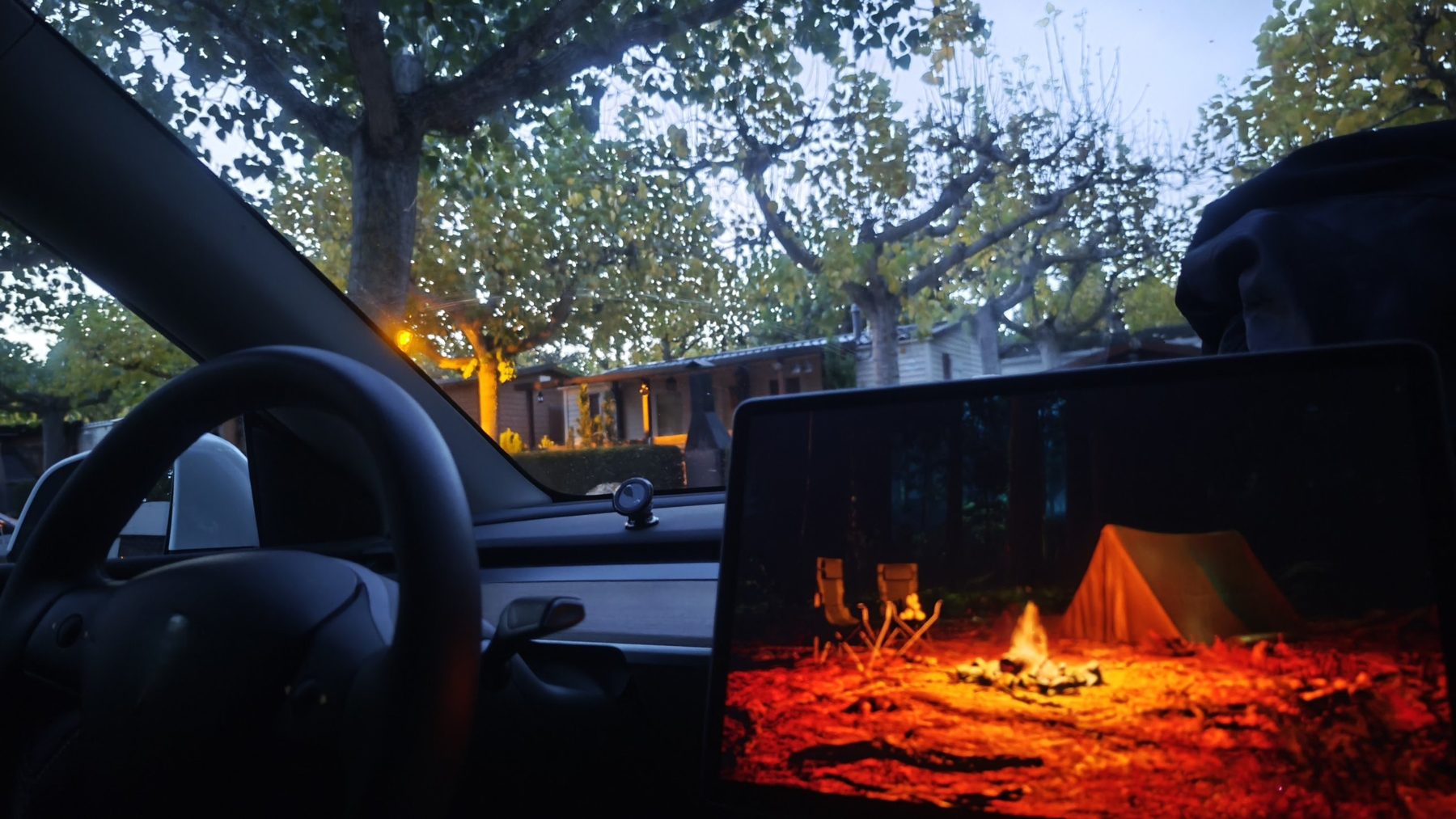
- Lock from the inside: before the screen switches to the campfire, tap the padlock on the screen. The car is locked, and you can still open the doors from inside.
Camp Mode’s three stages. The screen doesn’t go dark straight away, and that’s intentional:
| Stage | About | What the screen shows | What you can do |
|---|---|---|---|
| 1 | 10 min | “Camp Mode”, screen still active | Adjust the climate (Auto off, fan at level 1) and lock with the padlock |
| 2 | 10 min | A campfire | Nothing to do, the screen goes to sleep |
| 3 | All night | Black screen, small “Camp Mode” label | Sleep |
Why level 1? On Auto, the fan can blow hard and be noisy just as you’re falling asleep. With Auto off at level 1, the airflow becomes quiet and the temperature is still held.
How much battery for one night?
About 10% of the battery (6 kWh) for a night from 10 pm to 8 am, with Camp Mode set to 18 °C. That’s the average over our 10 nights, in a Model Y Rear-Wheel Drive with a battery of about 60 kWh (an estimate: Tesla doesn’t publish this figure).
| Situation | Energy per night | Battery per night |
|---|---|---|
| Camp Mode only, 14–20 °C at bedtime, 5–12 °C on waking (measured) | ≈ 6 kWh | ≈ 10% |
| 24 L compressor cool box on the 12 V socket, on top (measured) | ≈ 3 kWh | ≈ 5% |
| Colder night, around 0 °C (estimate, test planned) | up to ≈ 10 kWh | up to ≈ 17% |
The cool box counts. On its own, ours used half of what heating the cabin required.
What charge to start the night with? Camp Mode stops below 20%. So start from that threshold, add the night’s consumption and keep a margin:
- without a cool box: at least 30 to 35% at bedtime;
- with an electric cool box: at least 40 to 45%.
In cold weather, allow more, until we have our own measurement. And think about the next day: you still need enough to reach a charger.
Charging at a campsite overnight
Plugged into the campsite hook-up and set to 5 A, the car covers the whole night, cool box included, and even gains a little battery. That’s what we saw every evening.
The maths. At 5 A on 230 V, the car receives about 1.15 kW, or about 11.5 kWh over 10 hours. Some of it is lost: while charging, the car itself uses a few hundred watts to stay awake. Against the night’s 9 kWh (Camp Mode and cool box), the balance stays slightly positive. At 10 A, where the campsite allows it, the gain is much larger.
Set 5 A as soon as you plug in. You do this in the Tesla mobile app. Otherwise the car draws more and the hook-up’s breaker trips after a few minutes.
The gear you need:
| Item | Why |
|---|---|
| Standard home charger (charging cable for a household socket) | It’s what plugs into the campsite socket |
| Campsite adapter: blue 3-pin plug to household socket | Almost all campsite hook-ups use this blue socket. About €10; without it, you can’t plug in |
| 10 or 20 m extension lead, 3 × 2.5 mm², CE-marked | The hook-up is often far from your pitch. A 2.5 mm² cross-section keeps the lead from overheating |
| Type 2 to Type 2 cable (mode 3), optional | For public charging points; we never used it |
Unroll the extension lead fully: coiled up, it heats more.
A night in Camp Mode: what it feels like
- No condensation. None on the windows, not one night, even with two people sleeping in a small space.
- Quiet. You hear the heat pump from time to time, but keeping the temperature stays discreet, especially with the fan at level 1.
- Ready-made reading lights. The lamps above the rear doors fall right within reach.
- Daylight. With blackout panels the cabin becomes completely dark. We often did without them, to wake up with the daylight. Because the rear windows (side, quarter and tailgate) are privacy-tinted, nobody can see inside from outside at night: you see out without being seen, as long as the cabin stays dark.
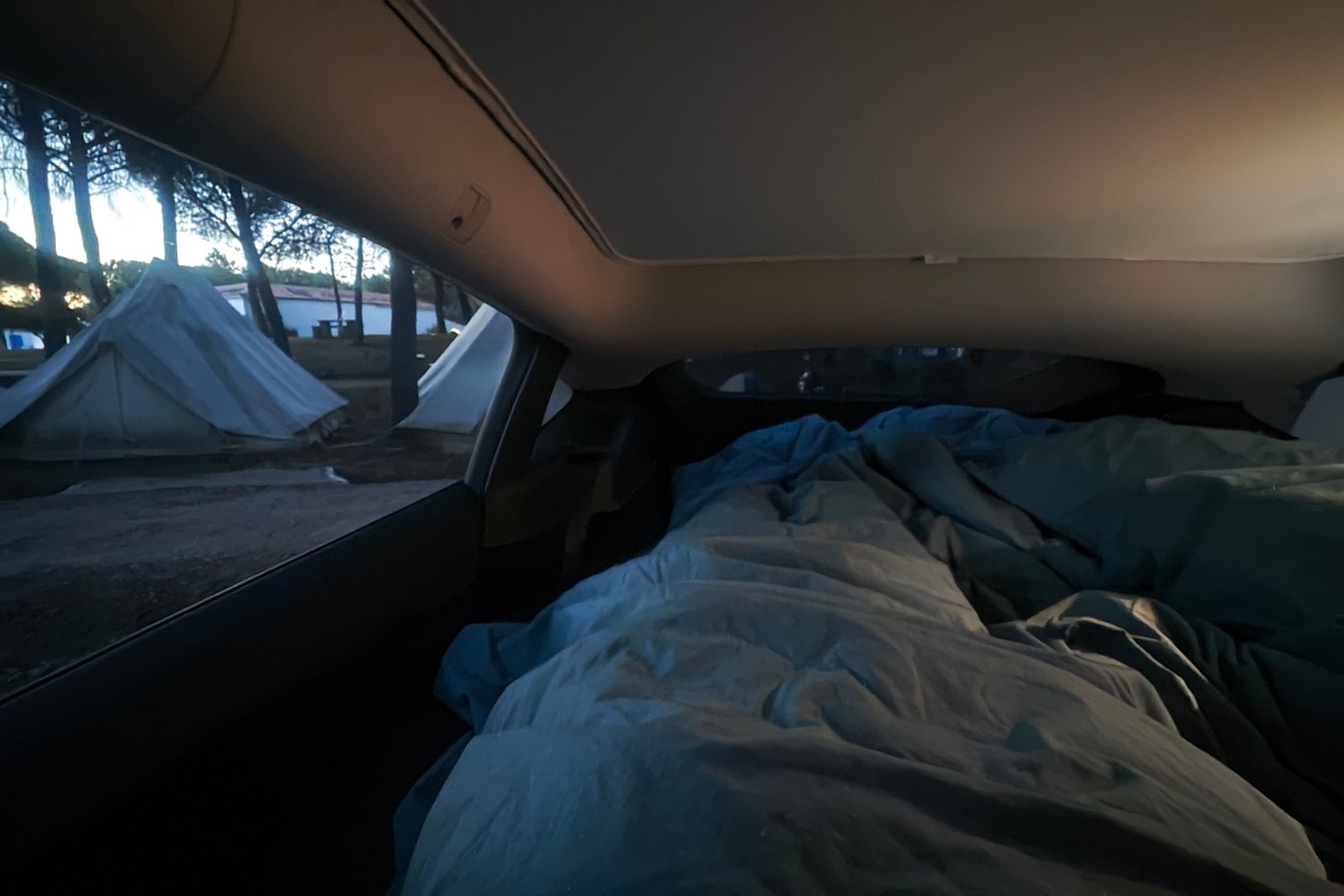
For the bed itself (space, gear, access), see our guide Sleeping in a Tesla Model Y: our report after 10 nights.
Checklist before going to sleep
Six checks, two minutes, and the night goes without surprises.
- Enough battery: at least 30 to 35%, or 40 to 45% with a cool box.
- At a campsite: extension lead unrolled, blue adapter plugged in, charging set to 5 A in the app.
- Camp Mode on (search “camp” at the top of the screen), temperature chosen (18 °C for us).
- Within the first ten minutes: climate on manual (Auto off), fan at level 1.
- Cool box or phones to charge: “Keep Accessory Power On” ticked (a one-time setting).
- The next day: enough charge to reach a charger if you weren’t plugged in.
The three first-time mistakes: forgetting to switch to 5 A (the breaker trips), leaving the climate on Auto (the airflow wakes you up), and arriving without the blue adapter (no way to plug in).
Frequently asked questions
Does Camp Mode drain the battery?
No. It stops by itself below 20% battery. One night cost us about 10%.
How much battery does a night in Camp Mode use?
About 10% (6 kWh) for a night from 10 pm to 8 am at 18 °C, with 5 to 12 °C outside on waking. Allow about 5% more for an electric cool box.
Can you charge the car at a campsite overnight?
Yes, with the home charger, a blue campsite adapter and a 2.5 mm² extension lead. Set charging to 5 A: the car then covers the night and gains a little battery.
Is Camp Mode noisy?
You hear the heat pump from time to time, but it stays discreet. Turn Auto off and bring the fan down to level 1 to avoid the airflow.
Can you lock the car for the night?
Yes. Before the screen switches to the campfire, tap the padlock on the screen: the car locks, and the doors still open from inside.
Does the alarm stay on?
No: in Camp Mode, Sentry Mode and the alarm are disabled.
In short
Camp Mode turns the Model Y into a heated bedroom with no condensation, for about 10% of the battery per night. Three habits are enough: start the night with enough charge, climate with Auto off and the fan at level 1, and 5 A charging at campsites.
Y-Camper adds the real bed and the storage. Pre-book for free, with no commitment, to be contacted first.